When AI writes the flyer, the letters come out wrong
Luisa Ramirez uploads an image, asks for a flyer, and gets words that don't match what she typed. Her fix is to move everything to Canva.
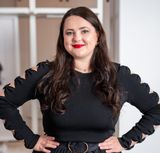

The most frustrating AI failure Luisa Ramirez describes is not a wrong answer. It is correct copy rendered wrong. She uploads images to Sintra for email marketing, asks for something flyer-shaped, and gets back a design where the spelling and grammar have gone and the letters do not match what she typed. Her workaround is to abandon the generated image and move the content into Canva.
What she was trying to do
The task is ordinary small-business marketing. An image, a short offer — she gives the example of booking a Mother's Day lunch at twenty percent off — laid out as a flyer for an email campaign. She uploads the picture and gives the text.
What comes back has the words mangled. "It has like no grammar or spelling, and the letters are not matching what I'm typing in. It is very frustrating."
Galina's reaction on the recording is the obvious one: that is surprising, because AI is supposed to be very good at writing. Which is exactly the point. The model can write the sentence. What fails is putting the sentence into a picture.
Why the failure is confusing to the person hitting it
This is worth spelling out for anyone building these products, because the operator has no way to see the seam. From where Luisa sits, one tool is doing both jobs. She types words; a designed image comes out; the words in it are wrong. The natural conclusion is that the tool cannot spell.
She eventually worked out a version of the real explanation on her own — the app is new and not fully developed, out only since last year — and she distinguishes correctly between the two paths: "If I asked my app to like develop the flyer and actually like script everything, no." Text-to-text is fine. Text-inside-an-image is not.
Nobody told her that. She learned it by producing broken flyers.
The workaround
Everything transfers to Canva. She copies the AI output across and builds the asset there: flyers, menus, all the printed marketing in the store. Her verdict on the round trip is short — in Canva "it makes it perfect," and being able to move content over is "very practical."
The cost is a manual hop in the middle of an otherwise automated workflow, every single time. Her co-owner ends up in the same place from the other direction, laying out proposals in Canva by hand because ChatGPT will not assemble a document.
The seam, from both sides
Galina states the split plainly during the interview: Canva is good on the design and bad on the copy, and she does not understand why. Luisa's answer is that she hopes one day they all get together and make life easier.
That is her one product request here, and it is unusually concrete for a small-business owner: not better image generation, but an integration. Sintra is organised into what it calls assistants — separate branches for the personal assistant, social media, email marketing. She wants the design surface to be one of them rather than a different tab. "It will just be in one place."
A note on how she treats the failure
It has not put her off. Asked whether the glitches discouraged her, she calls AI an amazing tool for anyone with a small business who does not know it all yet, and says it changed her life. She is specific about what it does for her: she knows what she wants to say about the shop, and struggles to put it in a form that reads attractively. The tool does that, and she recognises the result as what she meant.
An operator who keeps paying for a product that produces broken flyers is telling you the rest of it is worth the workaround. That is a stronger signal than satisfaction would be.
Where this comes from
S2E2: The secret AI strategy this small NYC business uses to save thousands — the full interview with Sara Rojas and Luisa Ramirez. Listen or watch: YouTube, Spotify or Apple Podcasts.